
Billing Details
Use Billing Details to maintain the company identity, billing address, contact number, and tax identifiers associated with the business account. Values visible in examples are illustrative only.
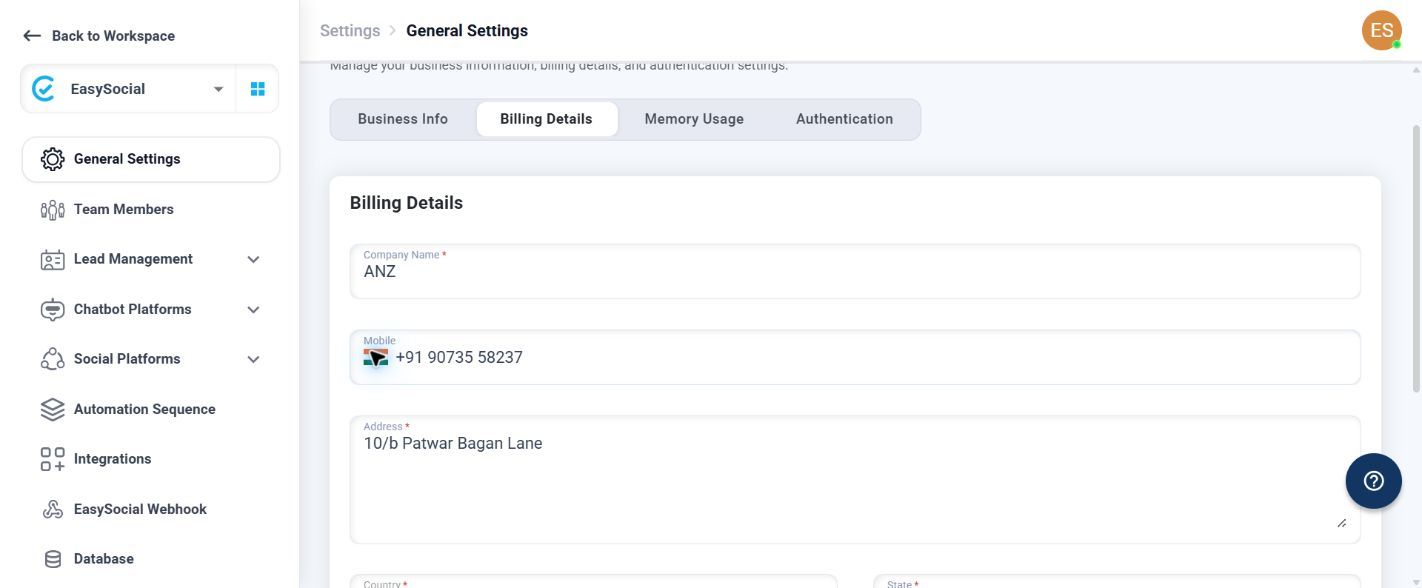
Before you begin. Confirm the legal company information and billing address with the person responsible for invoices or tax records. Required fields are marked with an asterisk.
Billing fields
Company Name
Enter the legal or billing entity name. The field accepts text; no visible character limit or pattern is shown.
Mobile Number
Use the country-code picker, then enter the business number. No visible pattern or length rule is shown.
Address
Enter the complete billing street address. No visible pattern or maximum length is shown.
Country
This value is inherited from Business Info and is disabled on this tab. If it is incorrect, update the address in Business Info.
State
Select or enter the state, province, territory, or region for the selected country.
City
Enter the billing city or locality. No visible pattern or maximum length is shown.
Pincode
Enter the postal code for the selected country, state, and city. No visible pattern, length, or numeric-only rule is shown.
GST Number
Enter the registered GST identifier when applicable. No visible pattern or maximum length is shown.
PAN Number
Enter the company or taxable entity PAN when applicable. No visible pattern or maximum length is shown.
Save and verify
- Complete Company Name, Address, Country, State, City, and Pincode.
- Add Mobile Number, GST Number, and PAN Number only when they apply.
- Check that the address hierarchy and tax identifiers match the same legal entity.
- Select Save Changes and wait for the confirmation message.
- If saving fails, correct the first field marked with an error, then verify required fields and dependent values again.
If a tax identifier is rejected: Confirm the identifier against official records, remove accidental spaces or punctuation, verify the company name and address, and retry.