
Documentation
How to Block Contacts on EasySocial WhatsApp API
Last updated on April 27, 2026
Blocking a Contact on EasySocial
If you receive an unwanted lead, you have the option to block that contact-easysocial-whatsapp-api-support to prevent further communication. Follow these steps to block a contact-easysocial-whatsapp-api-support:
Select the lead(s) you want to block from your contact-easysocial-whatsapp-api-support list.
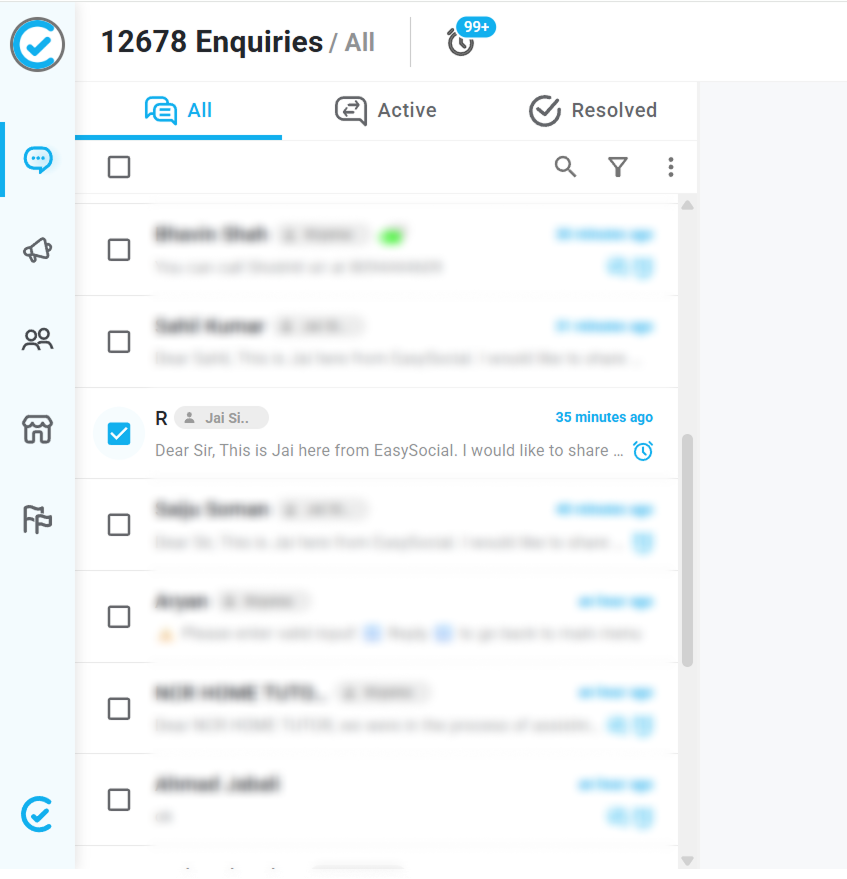
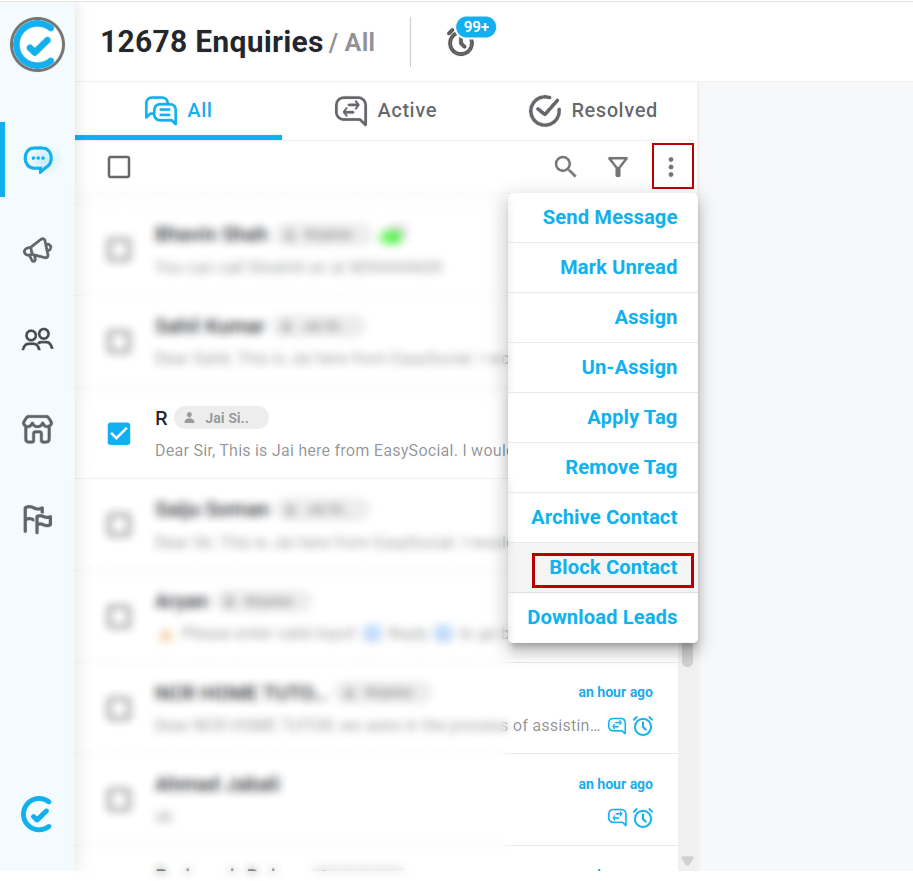
Click on the three-dot menu (⋮) associated with the selected contact-easysocial-whatsapp-api-support(s).
Choose the "Block Contact" option from the dropdown menu.
Once blocked, the contact-easysocial-whatsapp-api-support will be moved to the "Blocked Contacts" section, which you can find under the Contacts tab.
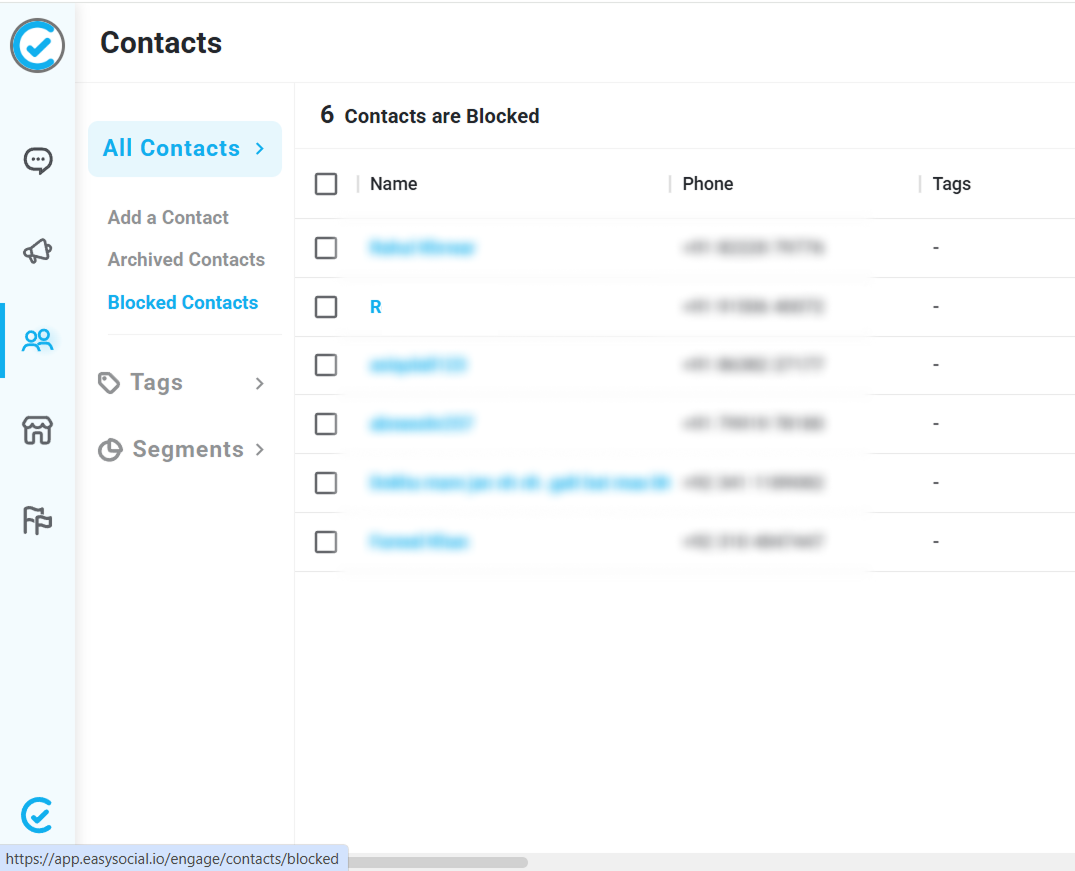
This will ensure that you no longer receive messages or interactions from the blocked lead.