Documentation

How to Add Money to Your EasySocial Wallet: Step-by-Step Guide

Last updated on April 27, 2026
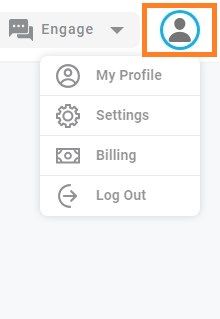
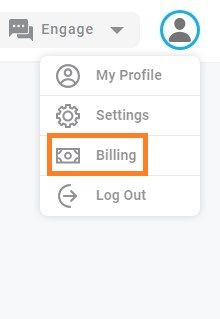
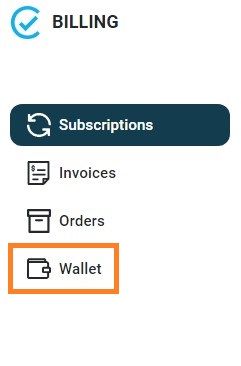
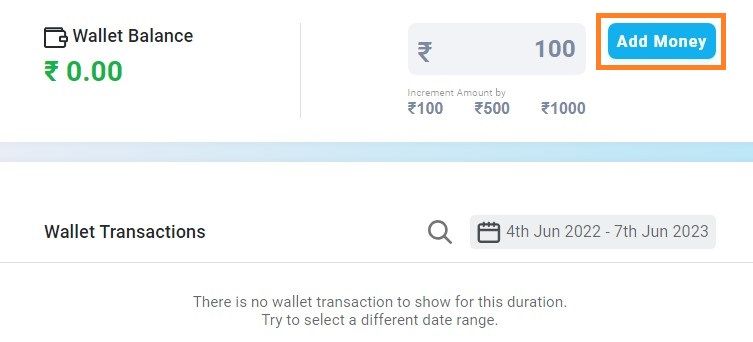
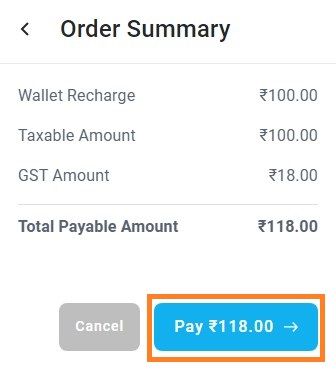
How to add money to your EasySocial Wallet? - Log in to your EasySocial Account - Go to the Profile Icon on the top right corner of the page and click on it ![billy.jpg](https://ecms.easysocial.io/uploads/billy_74002262f6.jpg) - Click on Billing ![1billy.jpg](https://ecms.easysocial.io/uploads/1billy_54f9a85528.jpg) - Go to Wallet ![wall.jpg](https://ecms.easysocial.io/uploads/wall_ae4681fb48.jpg) - Click on Add Money ![money.jpg](https://ecms.easysocial.io/uploads/money_63645910ed.jpg) - Click on Pay ![paying.jpg](https://ecms.easysocial.io/uploads/paying_f524f45a16.jpg)